Project and shift
Create the plan for a project, a shift time and a task group.
OConstruction turns the pre-task plan into a short digital form. Pick the activities, map the hazards, set the controls, and have every worker sign before the shift starts. The record saves itself.
No credit card. Cancel anytime. $24 per user per month after the trial.
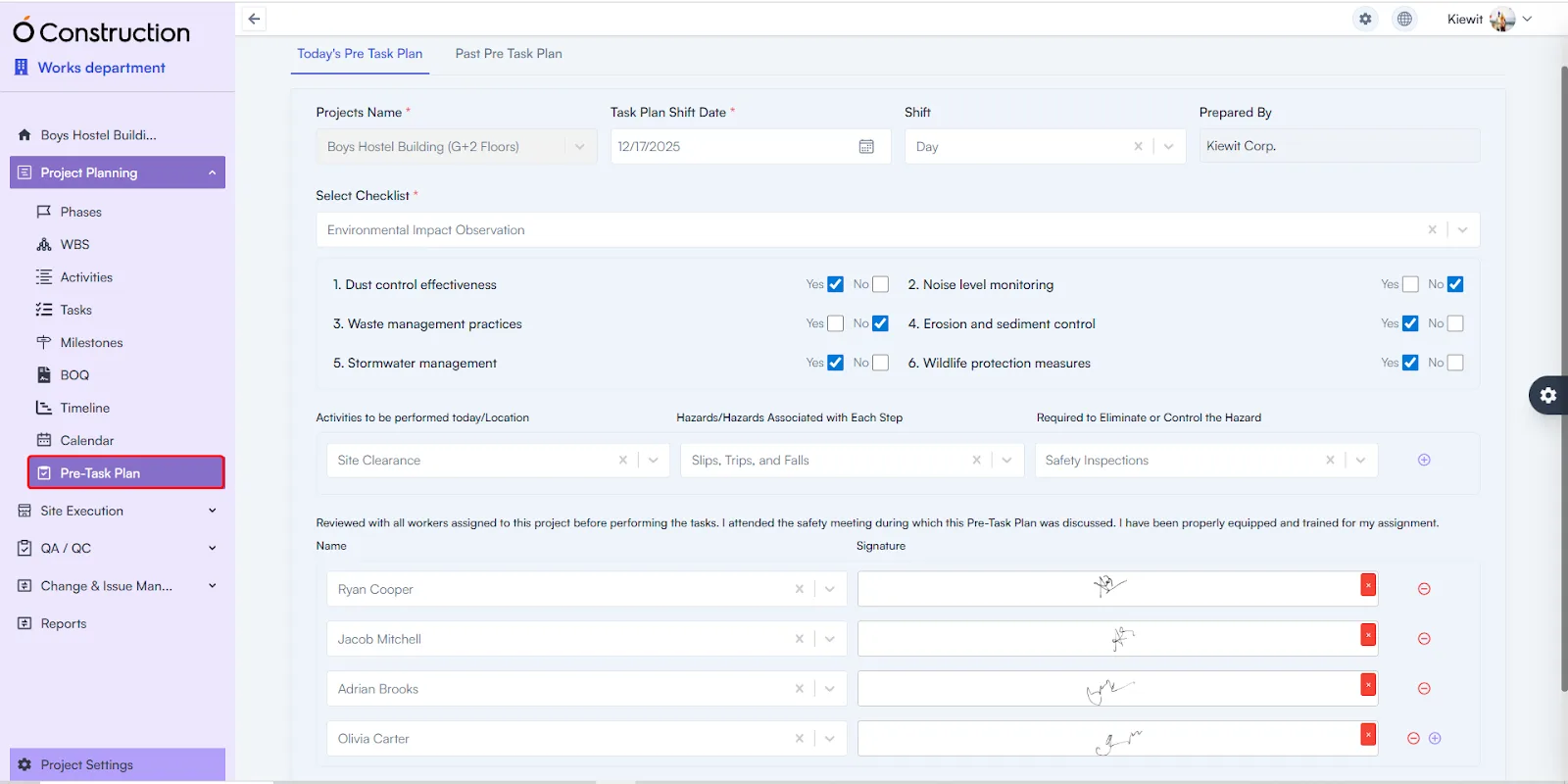
Each step is one tap or one short entry, so the plan stays quick to write on a busy morning.
Create the plan for a project, a shift time and a task group.
Choose a standard checklist or load a trade-specific safety template.
Select the activities, link the hazards and add the steps that reduce each risk.
Use shared hazard categories so every crew describes risk the same way.
Assign engineering, administrative or PPE controls to each hazard.
The list fills in from the people assigned to the project or shift.
Workers sign on screen to confirm they were there and understood the plan.
Add comments and task-specific instructions.
Every plan is stored for audits, daily logs and reviews.
Download a plan for a report, an incident file or a safety record.
A plan that is quick to write gets written. That is how a pre-task plan becomes a habit.
Each shift starts with the same hazard check.
Clear hazards and controls leave less to chance.
Every worker signs the day's tasks and safety plan.
Plans save automatically and are easy to find.
Time-stamped records show what was planned and when.
Shared templates keep all trades on the same procedure.
Here is what changes when the plan is a form on the phone.
Every module shares the same projects, people and data.
Common questions about pre-task plan software.