Skip to content

OConstruction release notes

New features, improvements and fixes, newest first. Each entry shows its release date.

January 2026

Files & Photos Module
New Feature

Files & Photos Module

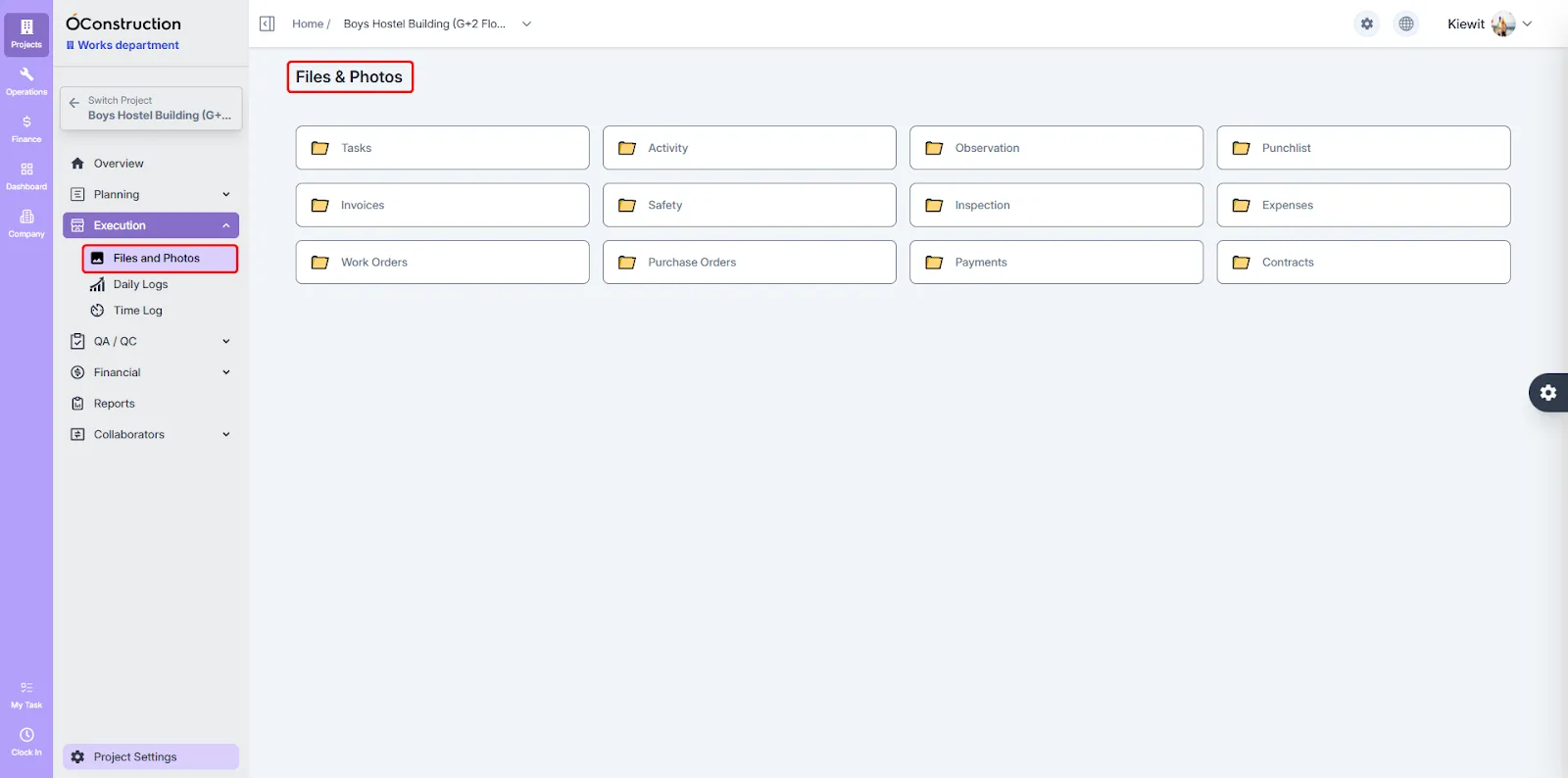
A brand-new Files & Photos module is now available, delivering a centralized and modern file management experience. It supports improved previews for all file types, smoother hover interactions, and more reliable document and photo access across projects.
Task Details – File Upload Experience
Enhancement

Task Details – File Upload Experience

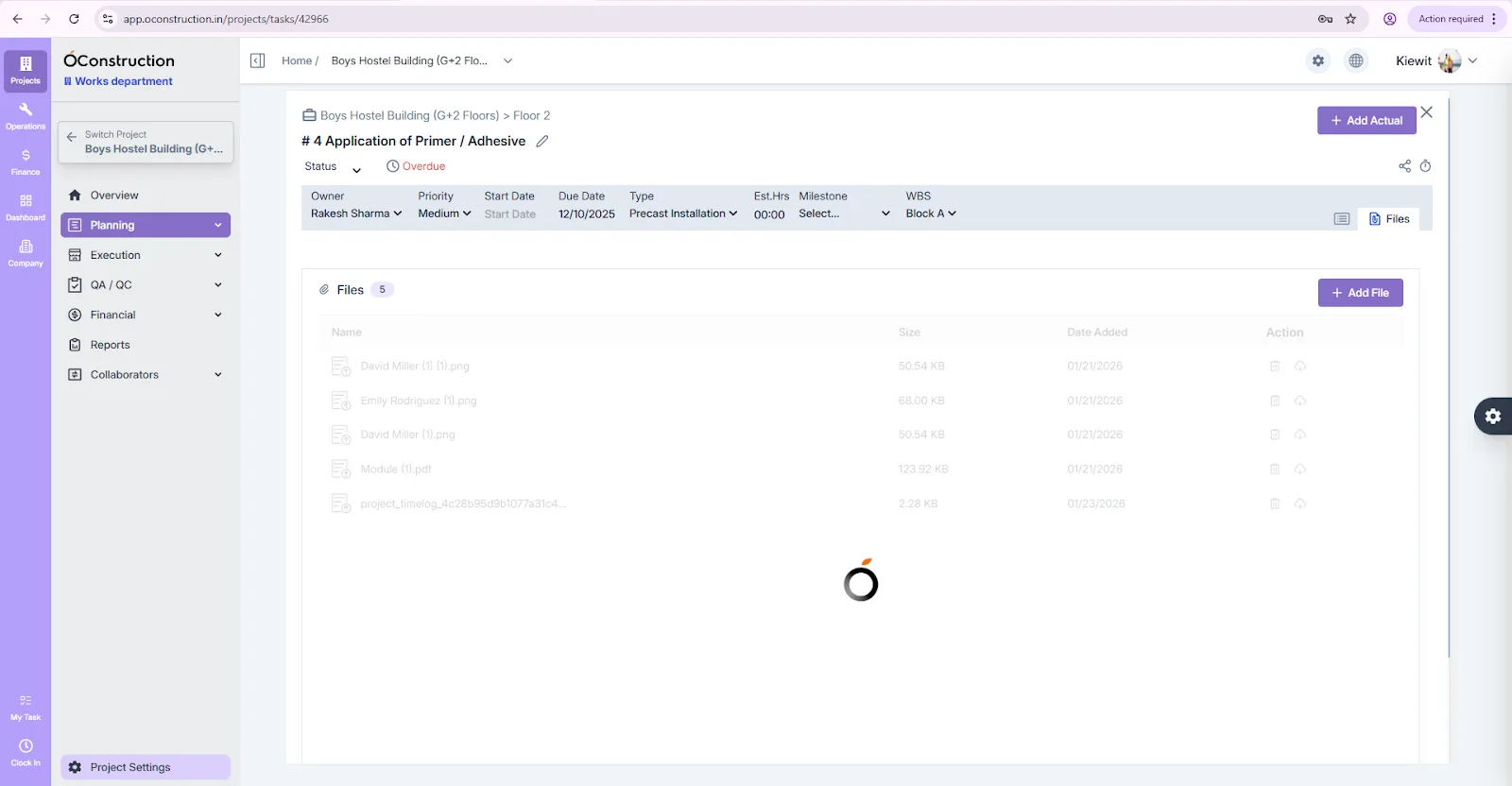
File uploads in Task Details have been improved with a proper loader for multiple uploads, success messages only after completion, fixed table dimensions, and refined border styling for better clarity and feedback.

Project Members Column Fix
UI/UX Improvement

Project Members Column Fix

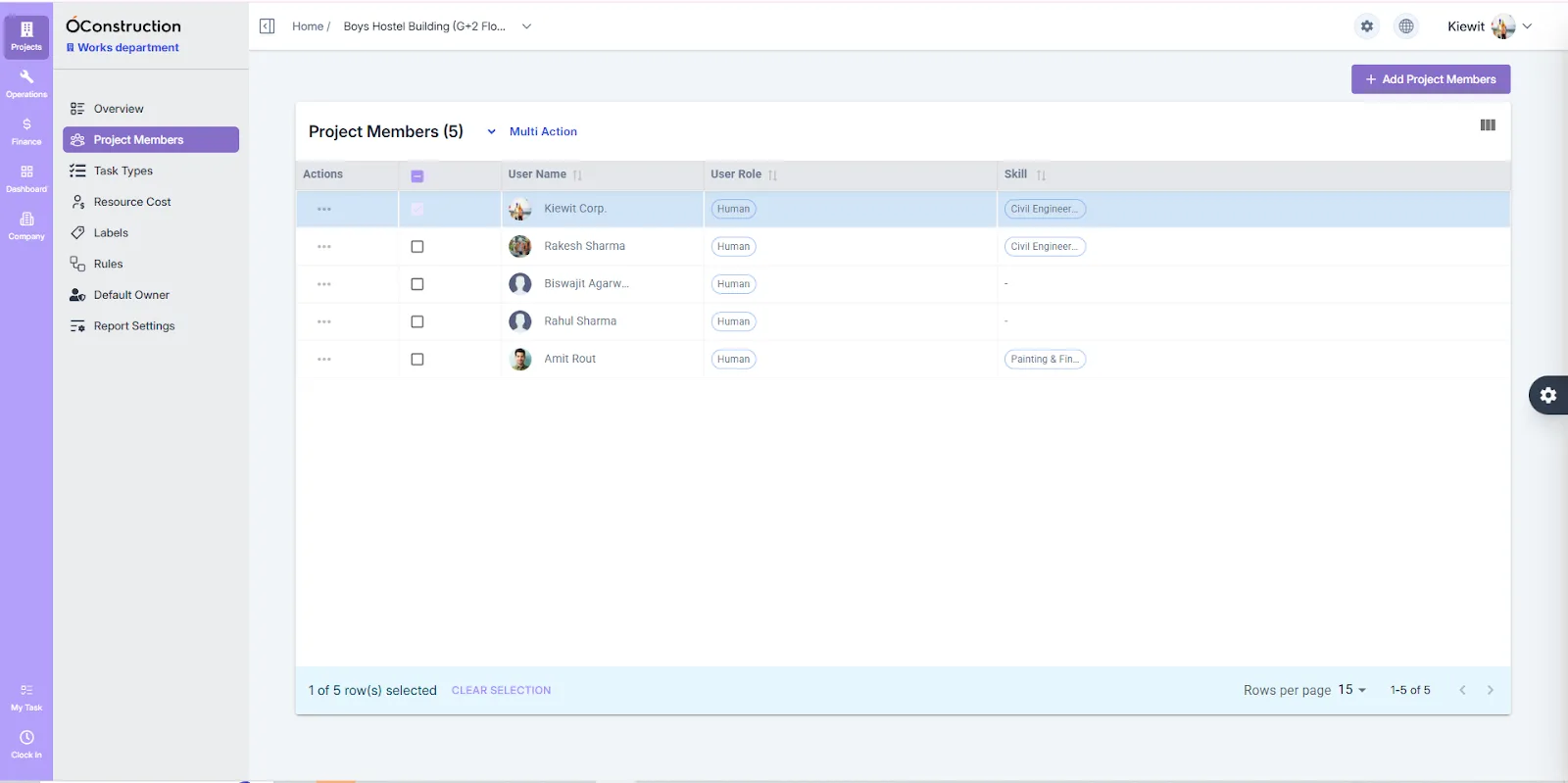
The User Name column width has been fixed and the column title updated in the Project Members page for better readability and layout consistency.

Rule Edit Field Lock
UI/UX Improvement

Rule Edit Field Lock

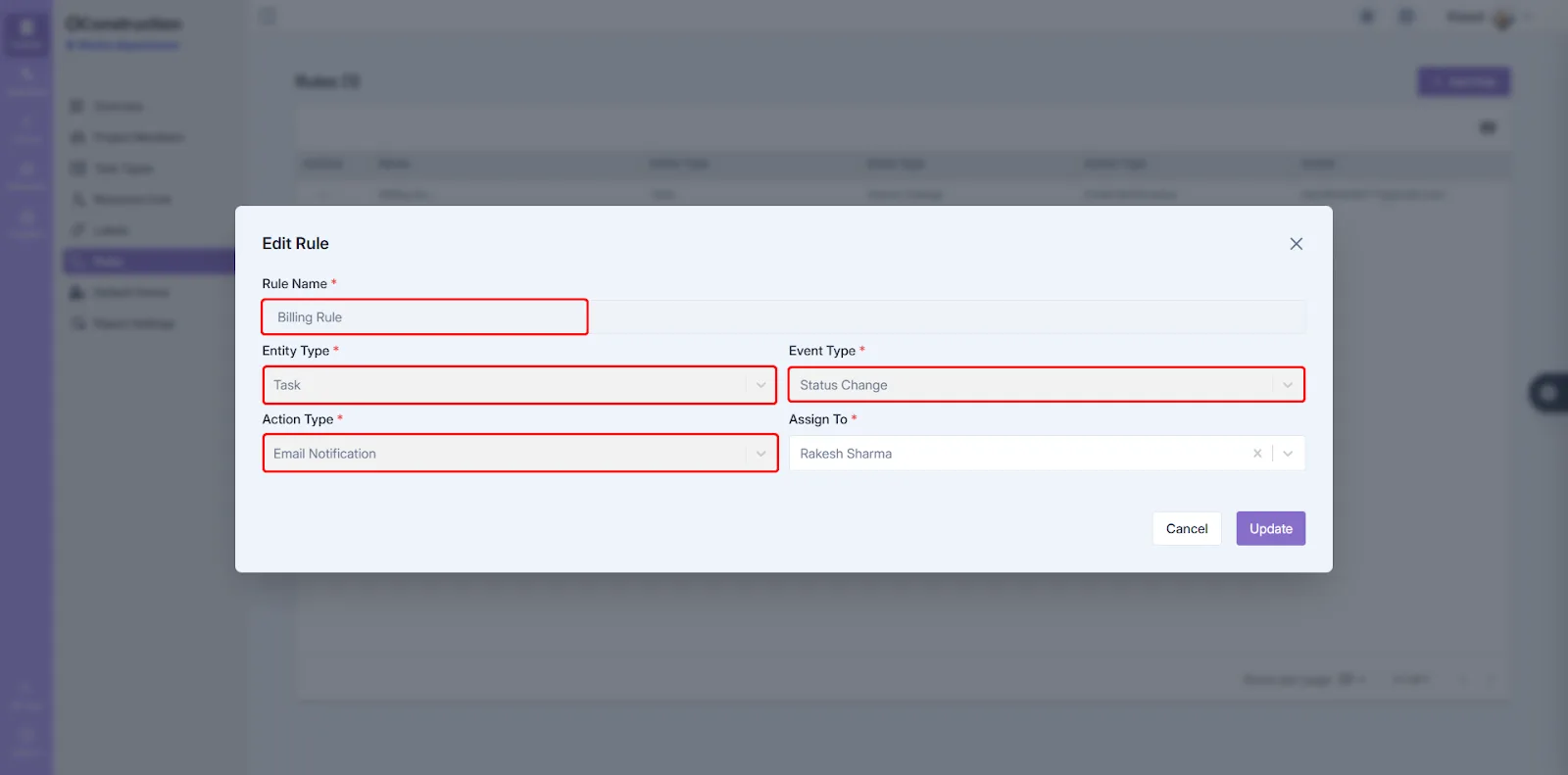
The Rule Name field is now disabled during Edit mode to prevent accidental changes and maintain data integrity.

Budget Snapshot Date Formatting
UI/UX Improvement

Budget Snapshot Date Formatting

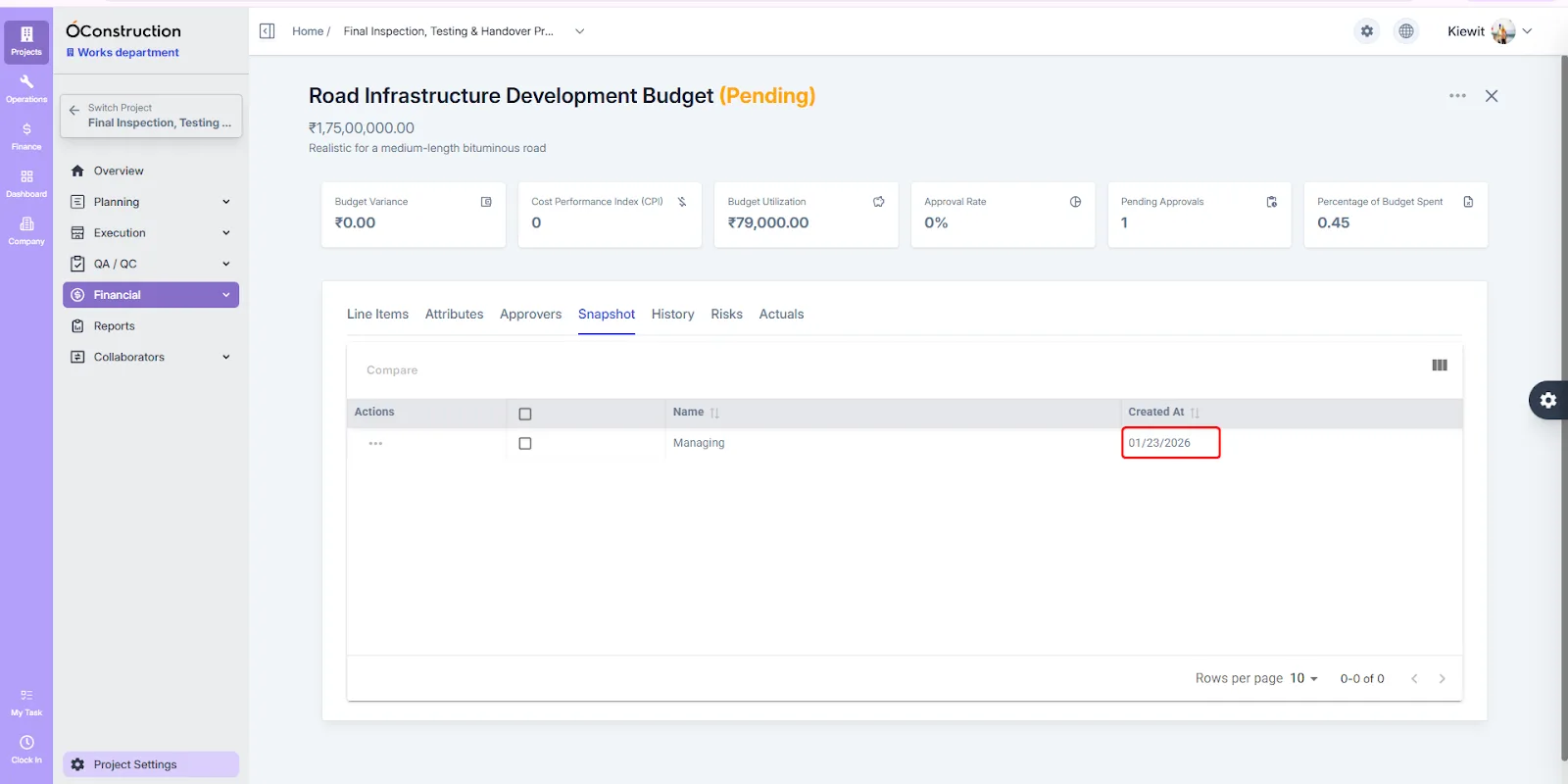
The Created At column in the Budget Snapshot listing page is now properly formatted for better readability and reporting clarity.

New Menu Bar Stability Improvements
Enhancement

New Menu Bar Stability Improvements

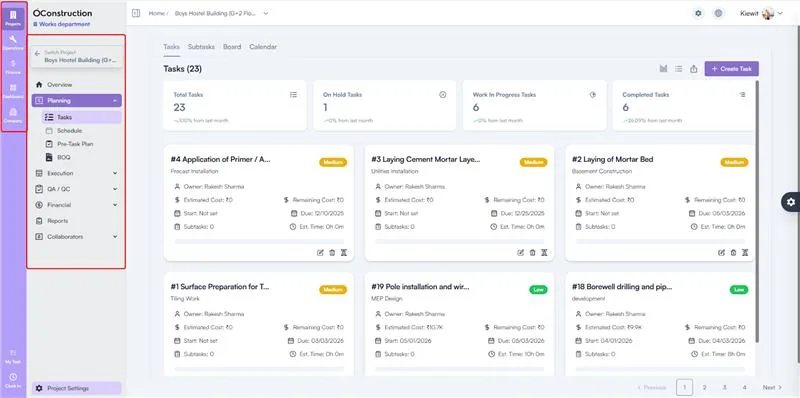
Multiple issues related to the new menu bar structure have been fixed, resulting in improved navigation stability, better layout consistency, and a smoother user experience.

Bug fixes (8)
  • Collaborator Navigation Fix. Closing the Collaborator or Client details page was incorrectly redirecting users to the Clients listing page. This has been fixed and now correctly returns users to the previous page.
  • Material & Equipment Quantity Display. An issue where item quantity appeared as undefined in Collaborator → Resources → Materials & Equipment has been fixed. Quantities now display correctly.
  • File Preview Support Improvements. File preview support has been improved and stabilized for all file types in the Files & Photos module, ensuring consistent and reliable previews. (DF\_1495)
  • Hover Effect Smoothness. An issue where border hover effects were not smooth has been fixed, resulting in better visual responsiveness across the interface. (DF\_1494)
  • Handle Select Program Fix. An issue where Handle Select was not working correctly when ProgramId was undefined has been fixed.
  • Activity Popup Title Fix. The popup title was incorrectly showing “Create Activity” during edit. This has been fixed and now correctly displays “Edit Activity”.
  • Risk Table Owner Name. The Owner Name in the Risk Table was displayed as an ID instead of the actual name. This issue has been fixed and correct names now appear.
  • WBS Creation Server Error. A 500 Internal Server Error occurring during WBS creation has been fixed, ensuring smooth and reliable WBS setup.

December 2025

Pre-Task Plan
New Feature

Pre-Task Plan

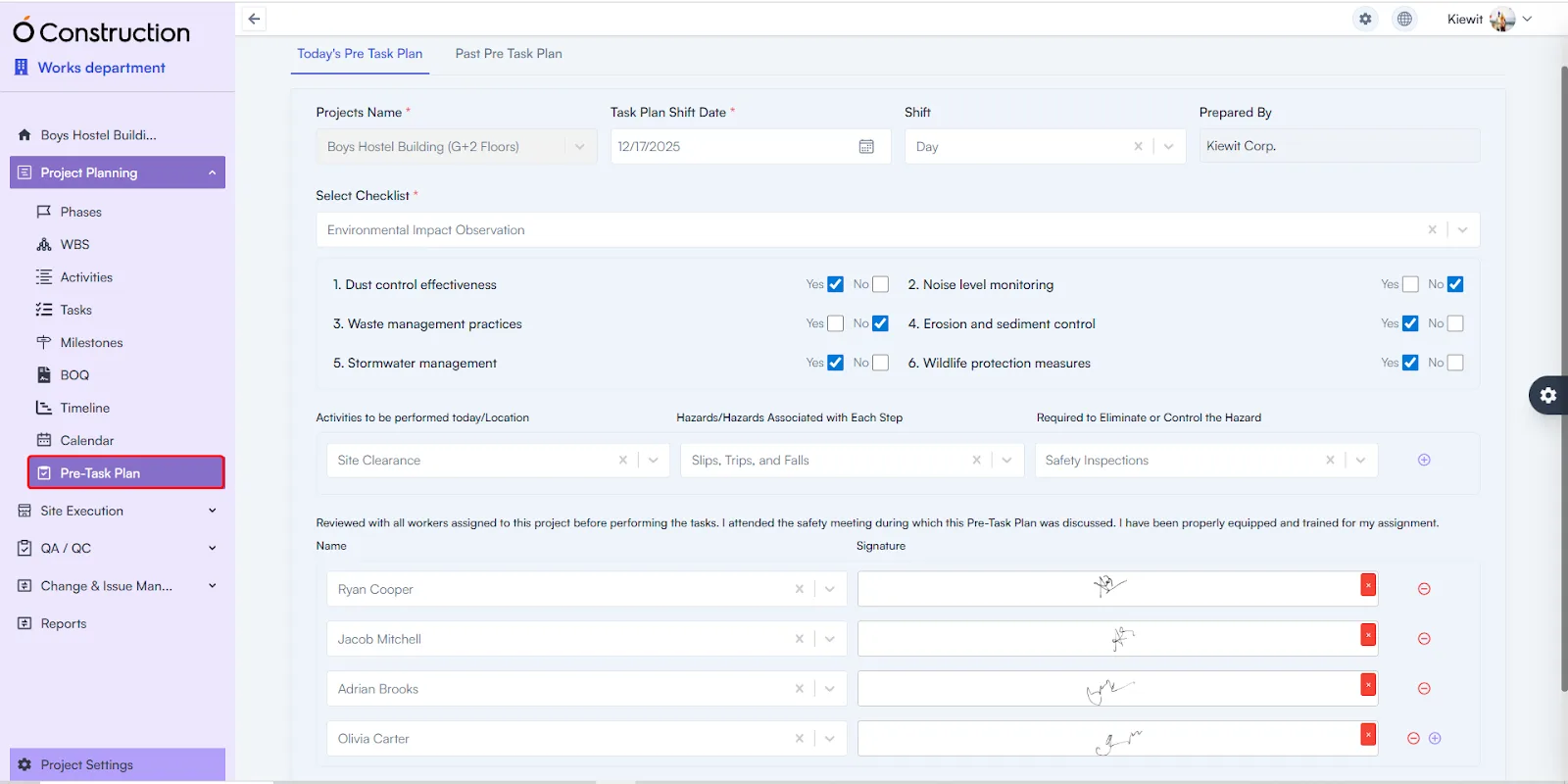
The Pre-Task Plan module enables teams to capture all planning details before work begins. Users can define today’s task plan, track progress on previously planned tasks, document checklists, identify hazards, define mitigation plans, and record attending project members with digital signatures — ensuring safer and more structured execution.

Daily Attendance
New Feature

Daily Attendance

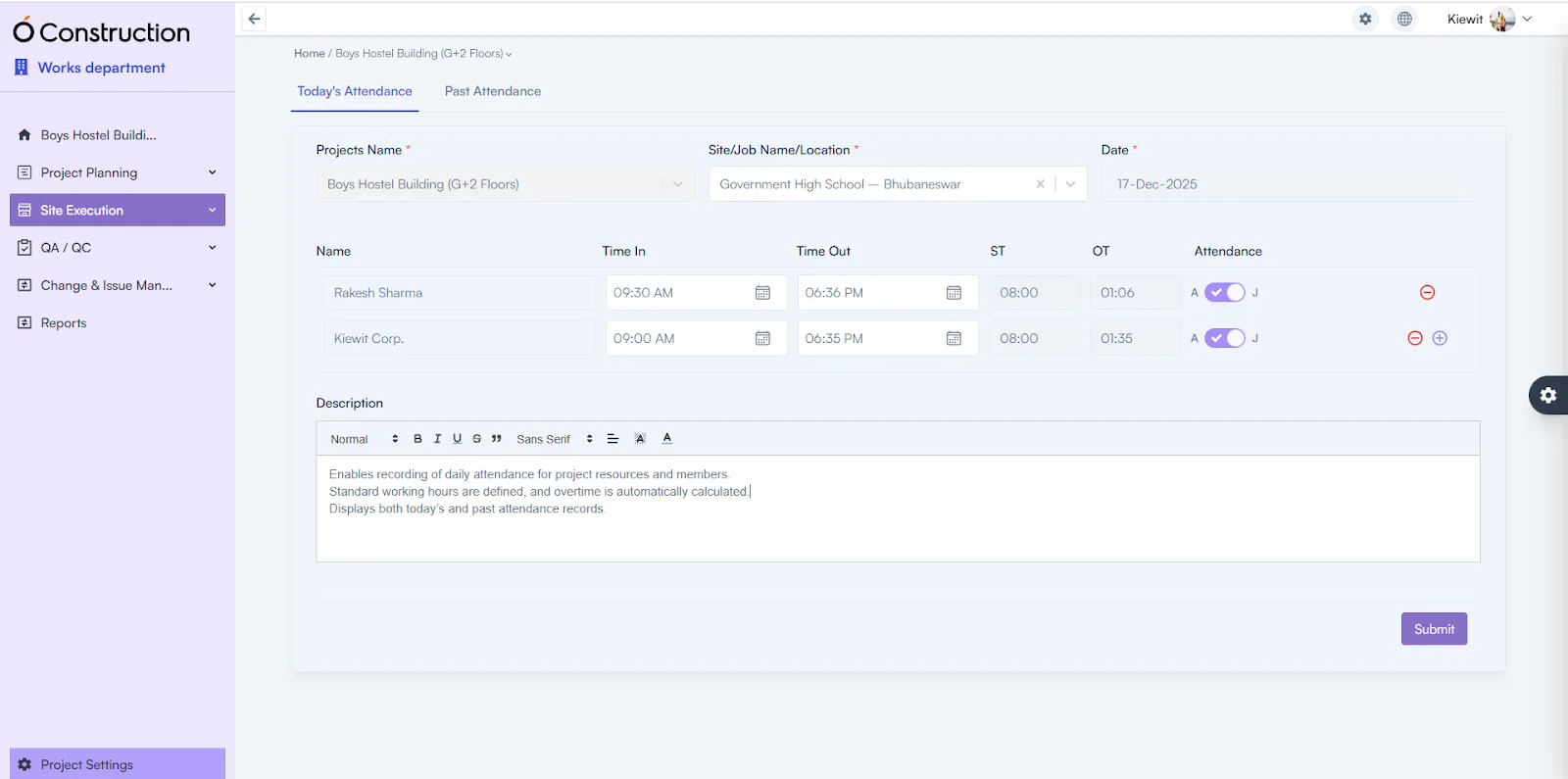
Daily Attendance allows teams to record attendance for all project resources and members. Standard working hours are predefined, overtime is calculated automatically, and both current-day and historical attendance records are available for review.

Safety Meeting
New Feature

Safety Meeting

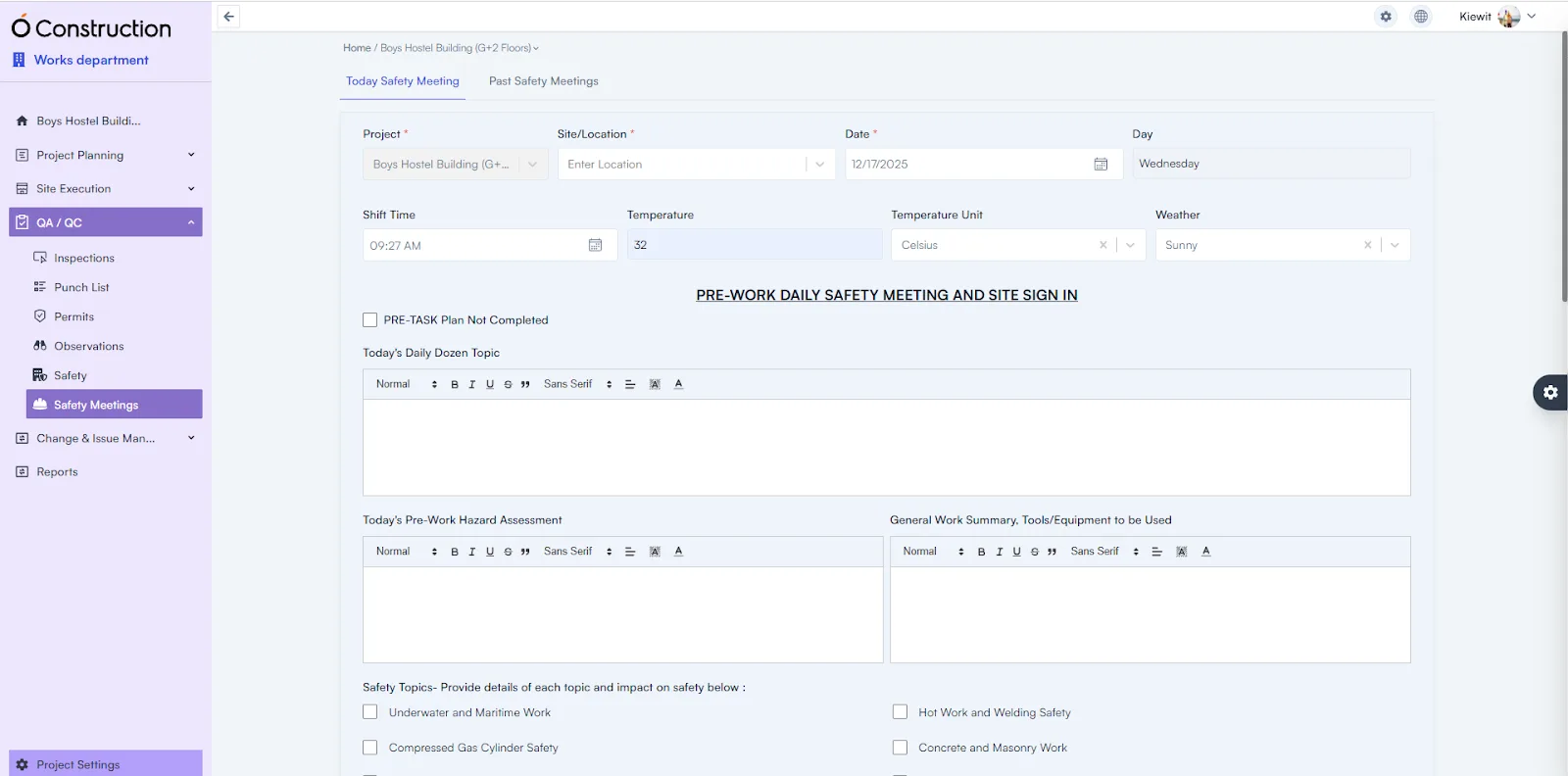
The Safety Meeting module records both today’s and past safety meetings. It displays Pre-Task Plan completion status and captures safety topics, shift timing, temperature, weather conditions, and participant signatures for compliance and audit readiness.

Automated Reports
Enhancement

Automated Reports

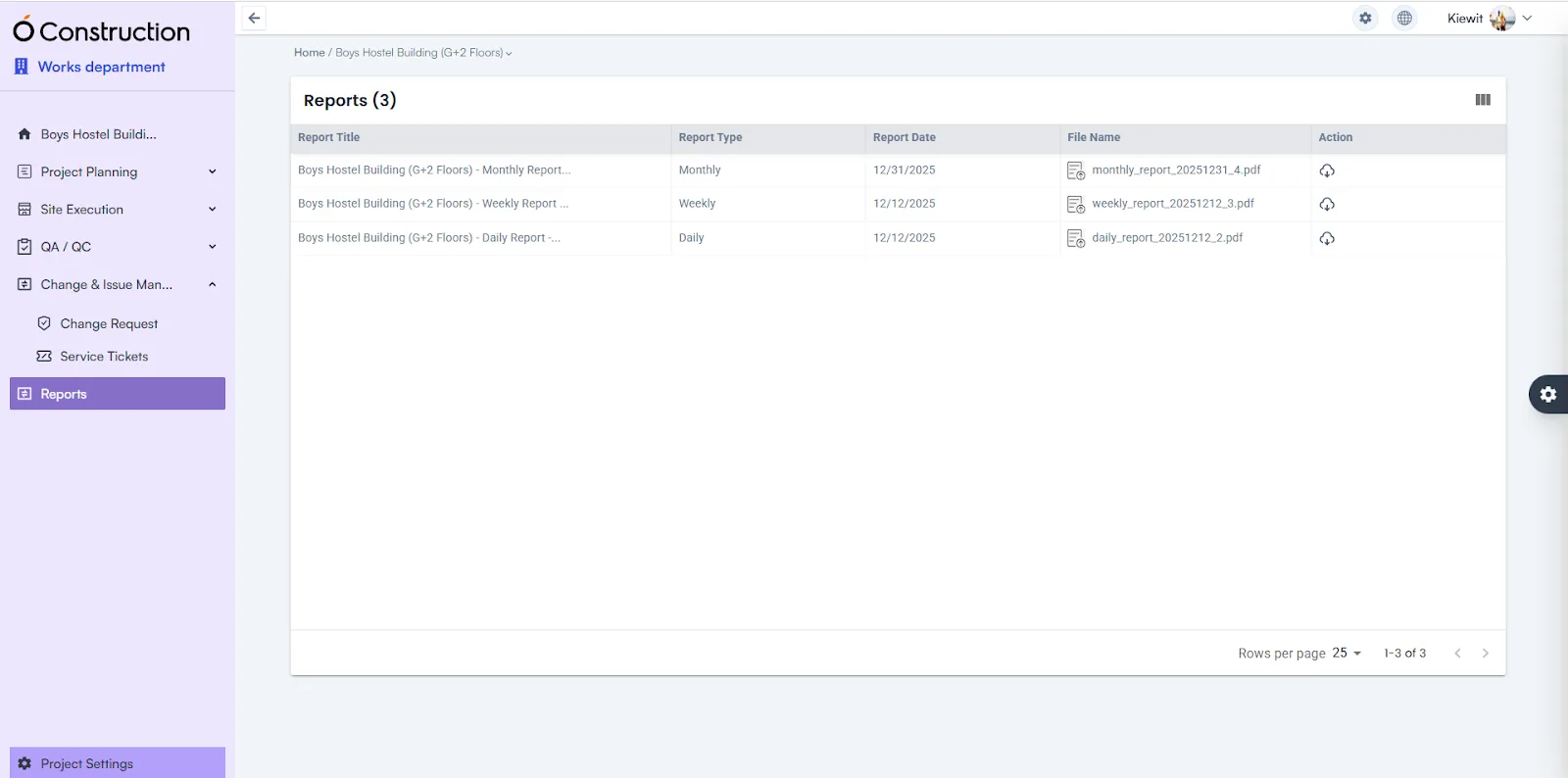
Reports are now automatically generated for Pre-Task Plans, Daily Attendance, Safety Meetings, and DPRs. Users can access Daily, Weekly, and Monthly reports without manual effort, improving visibility and documentation accuracy.

BOQ Template Availability
Enhancement

BOQ Template Availability

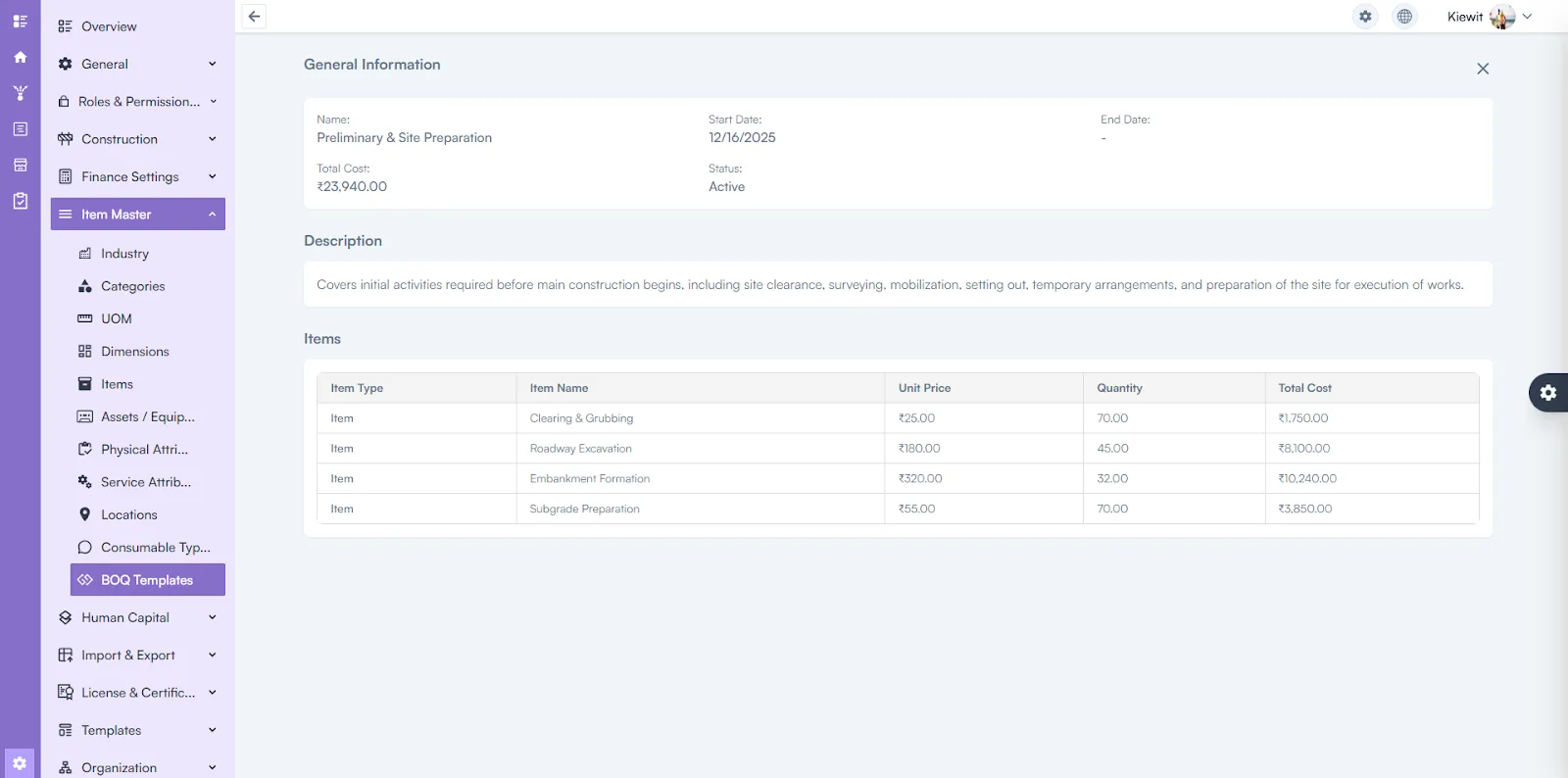
BOQ Templates are now available across all levels of the work structure, enabling consistent cost estimation and standardized BOQ creation throughout the project hierarchy.

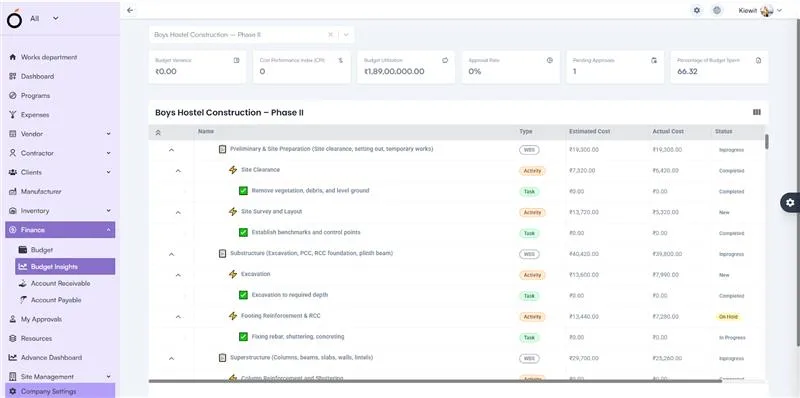
Budget Insight Hierarchy View
Performance Enhancement

Budget Insight Hierarchy View

Expand and collapse functions in the Budget Insight hierarchy have been improved for smoother navigation and better performance.

Bug fixes (10)
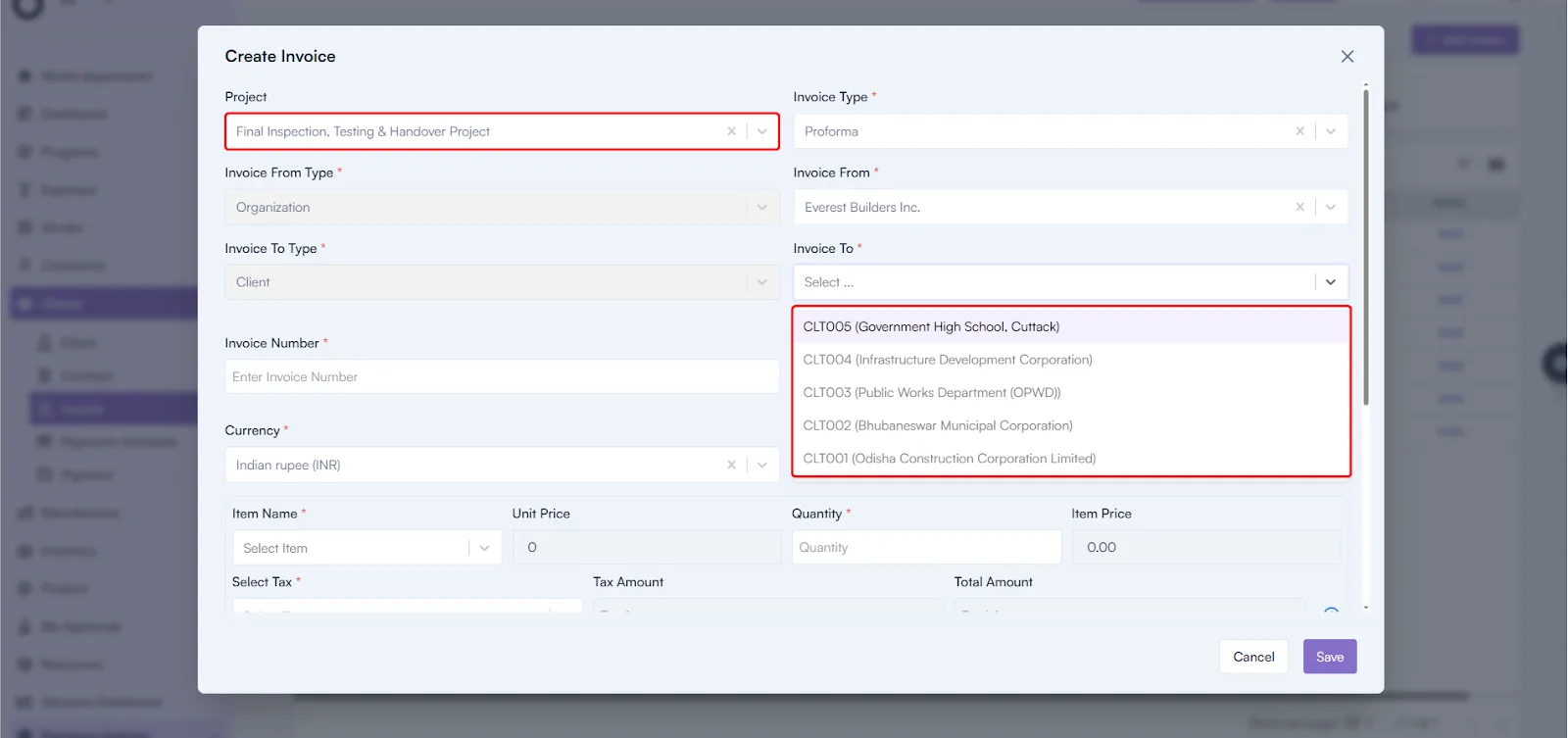
  • Client Issue Fixation. Approver visibility issues during Invoice and Payment creation have been fixed. The system now correctly displays approvers based on Organization and Project configuration. Backend validation has been added to prevent duplicate approver entries.
  • Payment Currency Retention. An issue where the selected currency was not retained during Payment creation has been resolved. The system now correctly preserves the selected currency throughout the process.
  • Owner Name Display in Subtasks. The Owner Name field in the Subtask page was appearing blank after task creation. This issue has been fixed and correct owner details now display consistently.
  • Activity Card Task Count. The Task Count shown on Activity Cards was incorrect. The issue has been resolved and the accurate number of linked tasks is now reflected.
  • Resource Creation Validation. Leaving the Email field blank during resource creation generated an incorrect toast message. The proper validation alert is now displayed.
  • WBS View Page Error Message. When accessing the WBS View page, an incorrect “422” toast message was appearing. The message no longer appears and navigation is smooth.
  • Task Creation Error in Activity Details. Creating tasks inside the Activity Details page triggered an incorrect 422 error message. This has been fixed and task creation works properly.
  • Default Workspace Visibility. After login, the Default Workspace was shown as “All” for all users. The correct workspace now loads based on user permissions.
  • WBS Details – Add Item and Asset. Users can now successfully add Items and Assets in the WBS Details page. The issue preventing this action has been resolved.
  • Task & Activity Estimated Hours. Estimated Hours were showing incorrect calculations. The formula is now corrected and accurate values display across the system.

November 2025

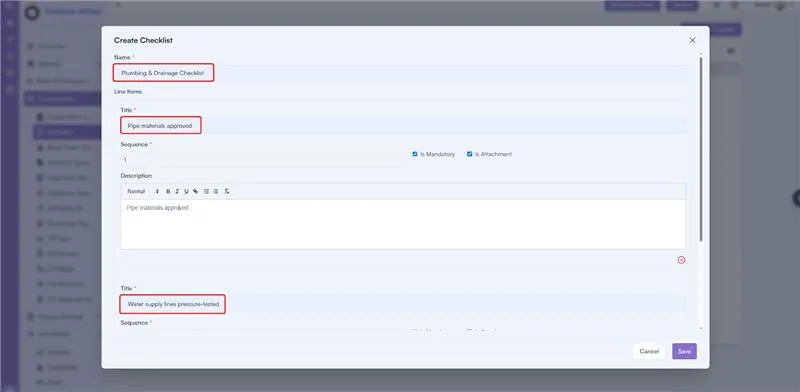
Checklist Creation with Line Items
Enhancement

Checklist Creation with Line Items

Create structured checklists with multiple items, sequence numbers, and descriptions from a single pop-up. Faster, cleaner, and more efficient checklist creation.

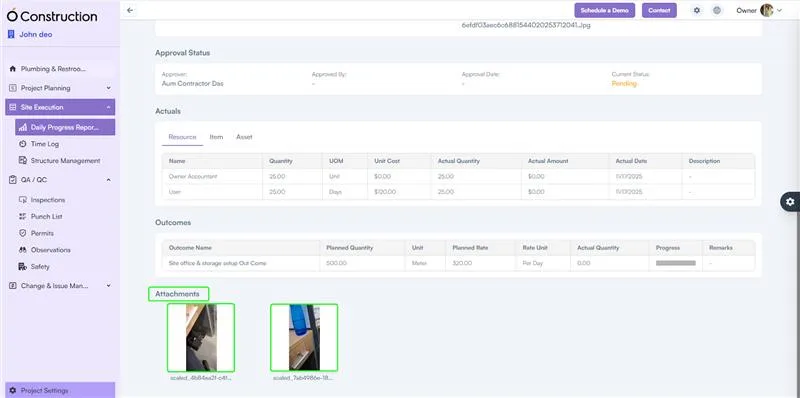
DPR Attachments Displaying in Frontend
Enhancement

DPR Attachments Displaying in Frontend

Attachments uploaded from the mobile app now appear correctly in the DPR Details Page. Improves visibility and transparency of on-site documentation.

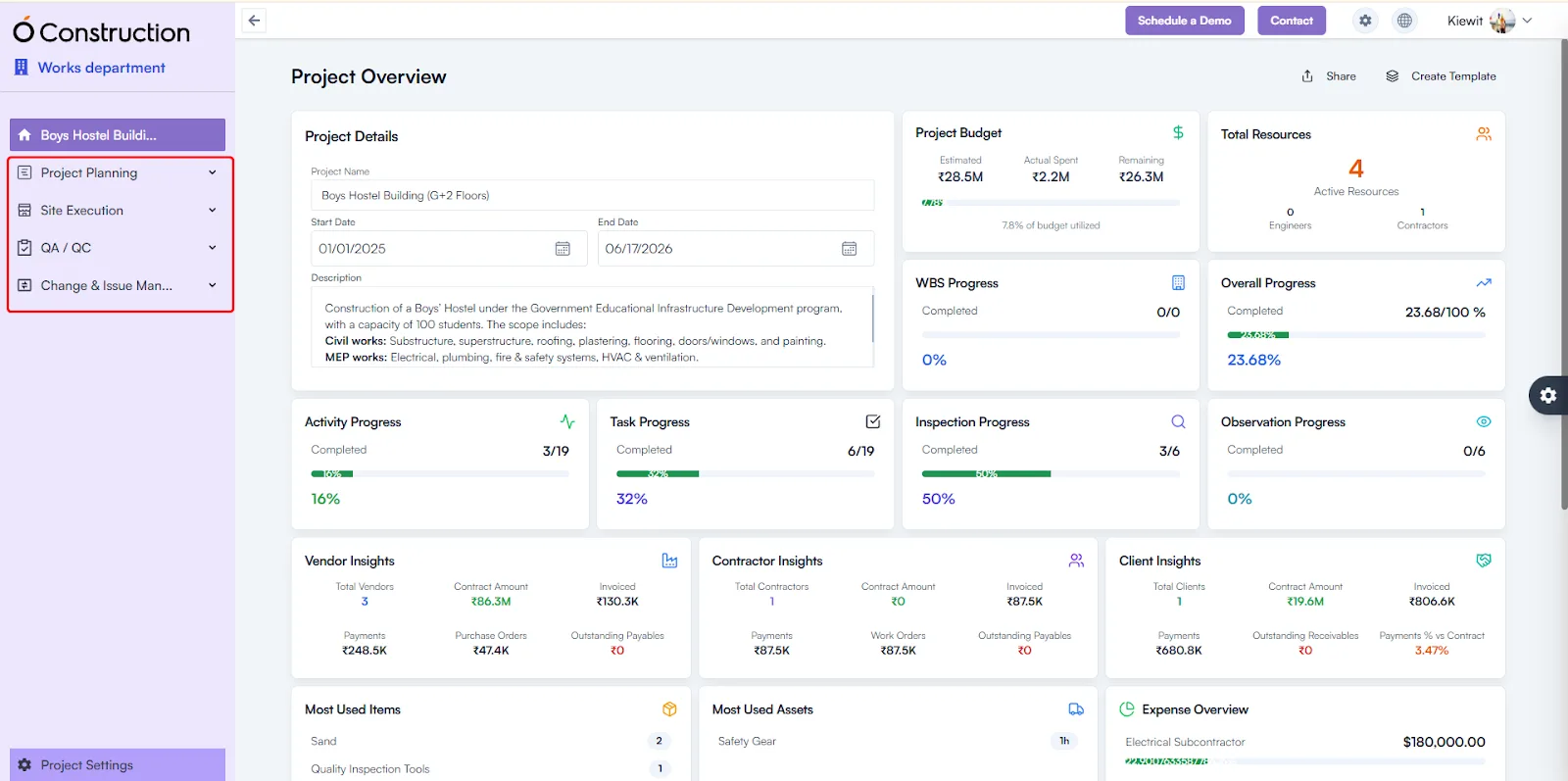
Menu Collapse – Project Module Grouping
Navigation Update

Menu Collapse – Project Module Grouping

Project modules are now grouped into clear categories for easier navigation and workflow clarity. Makes project planning and site execution sections quicker to access.

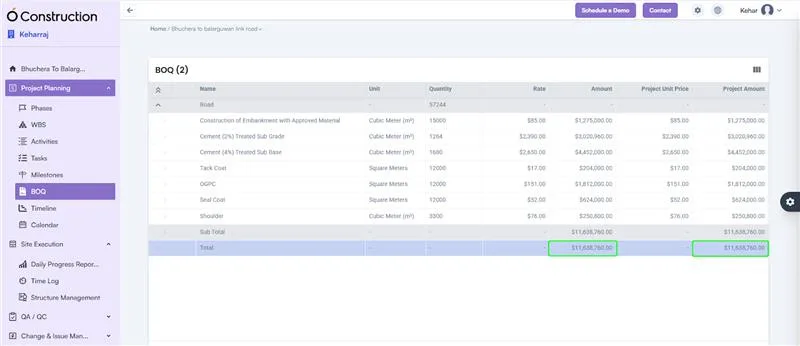
BOQ Subtotal & Total Highlight
Enhancement

BOQ Subtotal & Total Highlight

BOQ listing now clearly highlights Subtotal and Total at the bottom of the table. Ensures better cost visibility and faster financial review.

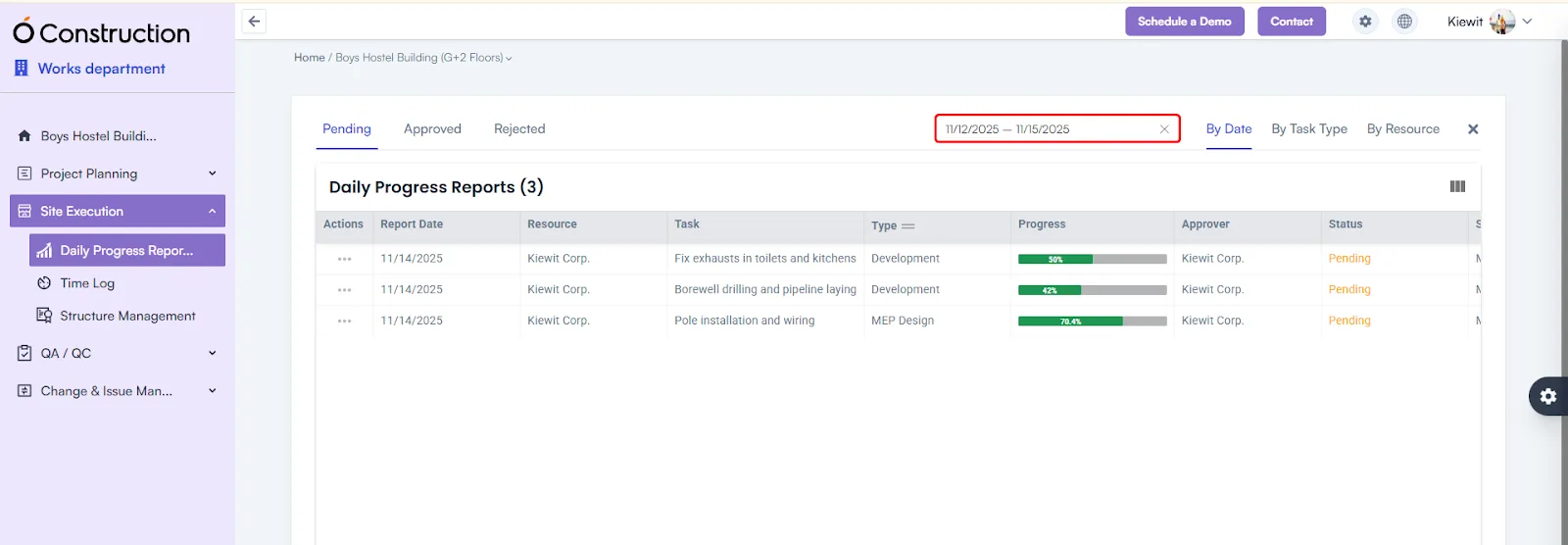
Date Range Filter Added for DPR (Frontend)
Enhancement

Date Range Filter Added for DPR (Frontend)

A new Date Range Calendar Filter is added to the DPR listing. Users can quickly filter reports between any two dates.

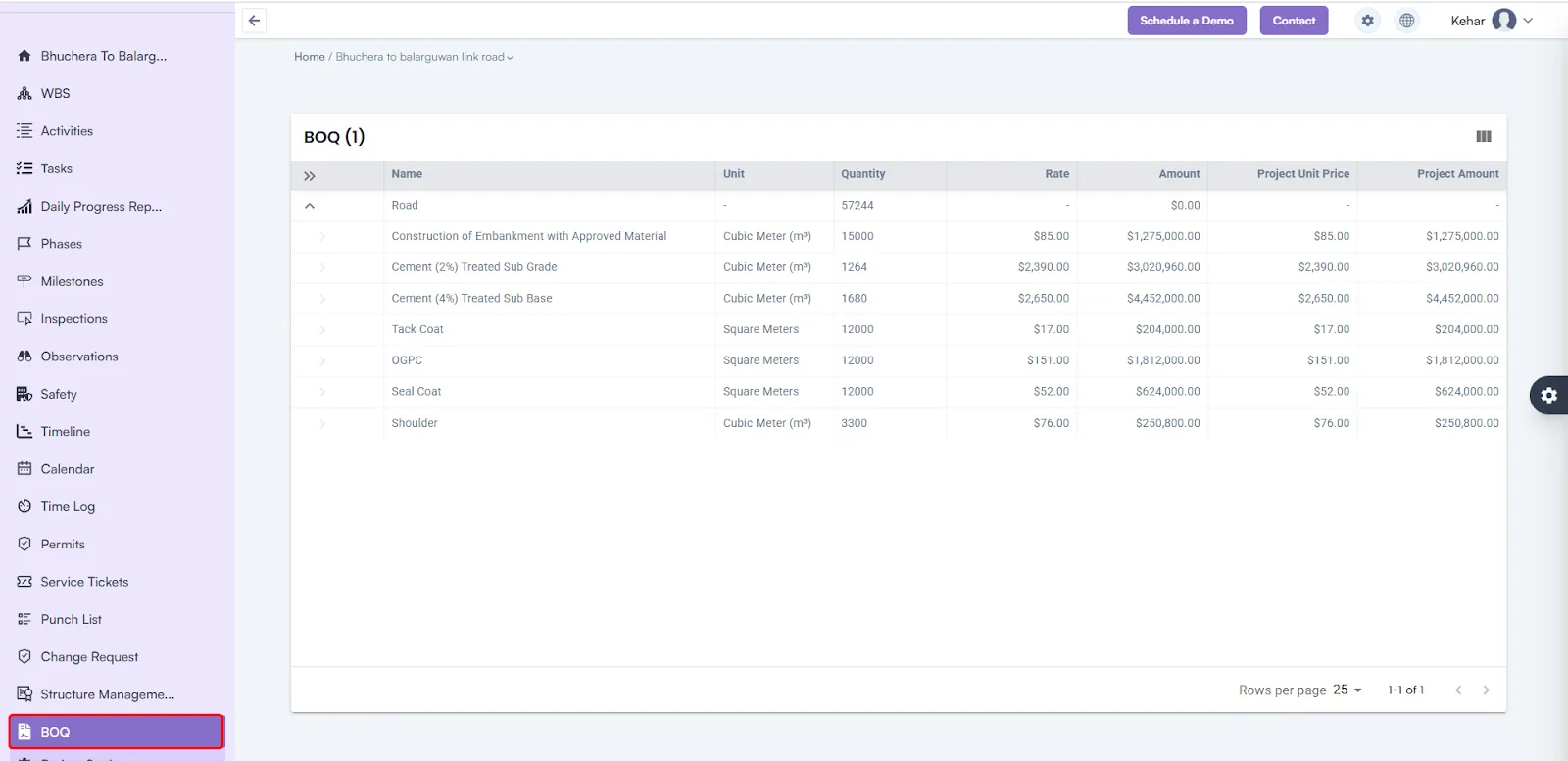
BOQ (Bill of Quantities) View
New Feature

BOQ (Bill of Quantities) View

We’ve added a new BOQ View inside the Project Module to help you visualize project quantities, costs, and budgets more effectively.

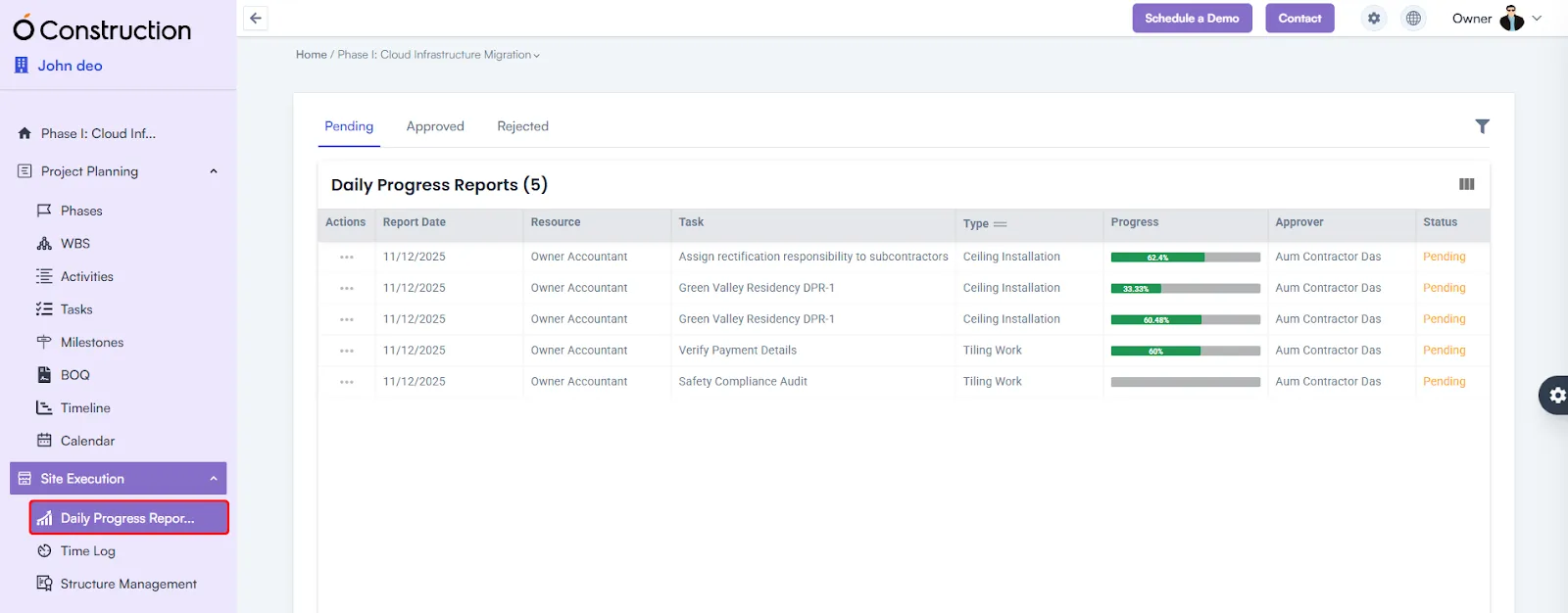
Daily Progress Report (DPR) Module
New Feature

Daily Progress Report (DPR) Module

Introducing a fully functional DPR module for both web and mobile. Track site progress, log activities, and maintain daily visibility with ease.

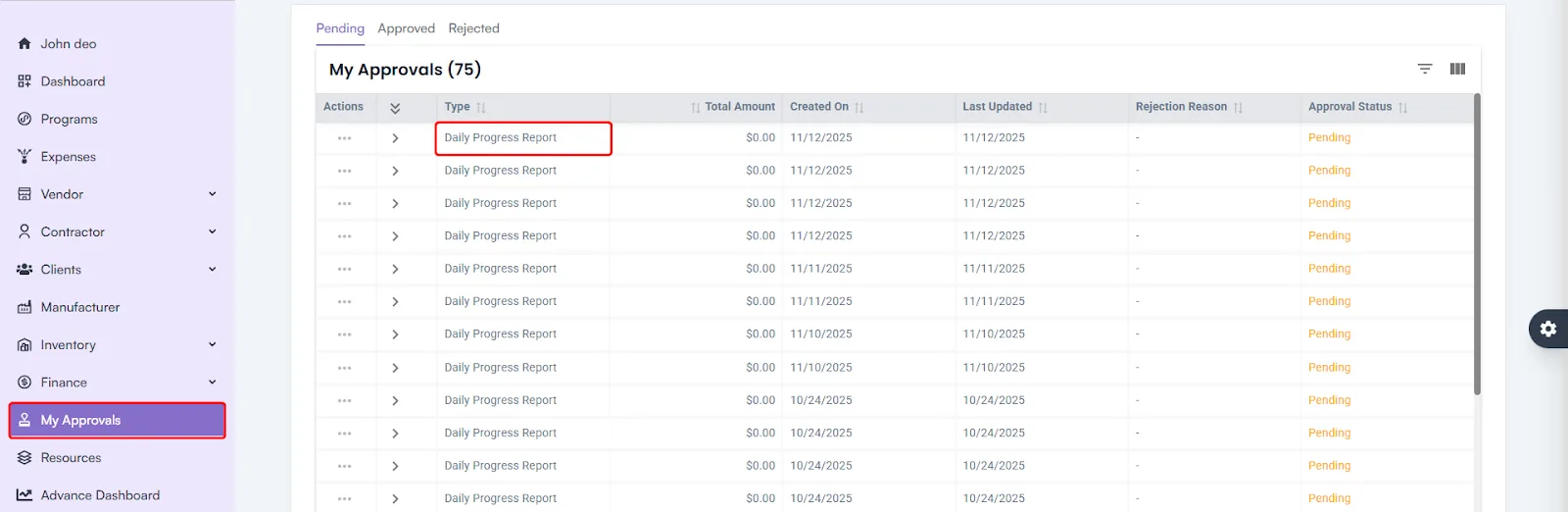
DPR Approval Workflow
Enhancement

DPR Approval Workflow

Added a new approval workflow for DPR submissions to ensure validation, accountability, and reliable project tracking.

Client Module Enhancements
Enhancement

Client Module Enhancements

Invoice-related issues in the Client Module have been fixed — ensuring accurate billing and smoother financial workflows.

UI and User Experience Improvements
Enhancement

UI and User Experience Improvements

Enhanced layouts and alignments across Tasks, Activities, and WBS Levels for a cleaner, more intuitive experience.

Bug fixes (18)
  • Due Date Display Fix – Budget Insights. The Due Date field in the Budget Insights page was appearing blank. This has now been resolved and Due Dates display correctly.
  • Owner Name is Displaying as blank Subtasks. The Owner Name field in Subtask view was showing blank. The issue is fixed and the correct owner details now appear as expected.
  • Change Request Parameter Creation. Users were unable to create new Change Request Parameters. The issue has been fixed, and parameter creation now works smoothly.
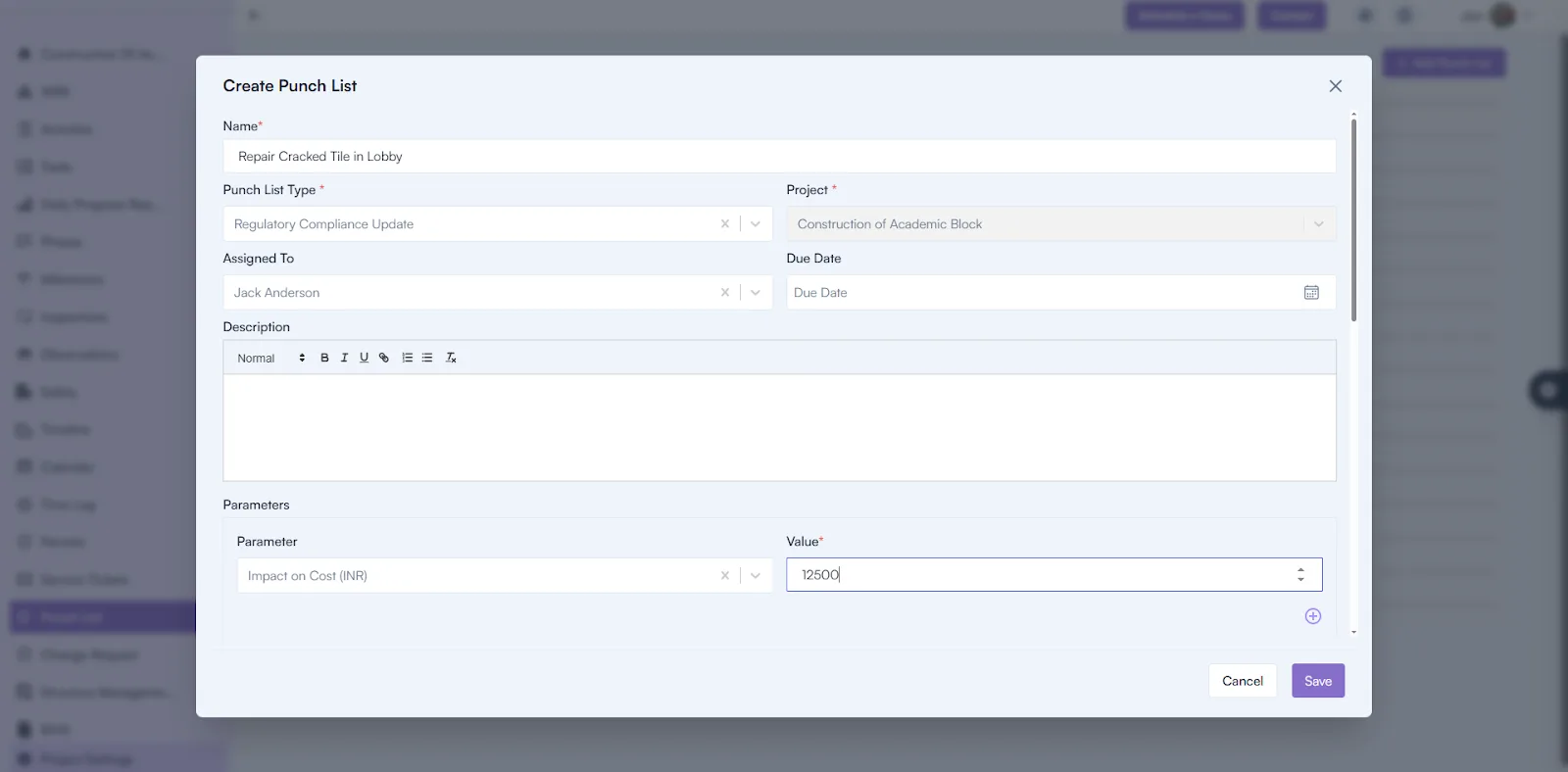
  • Punchlist Creation Failure. Punchlist creation attempts were failing. This issue has been resolved and Punchlists can now be created without interruption.
  • Parameter Name Visibility. Parameter Name fields were displayed as blank in the UI. The issue has been fixed and names now render accurately.
  • Attribute Display in Parameters Tab. The Attribute field in the Parameters tab was appearing blank. The correct attribute values now display properly.
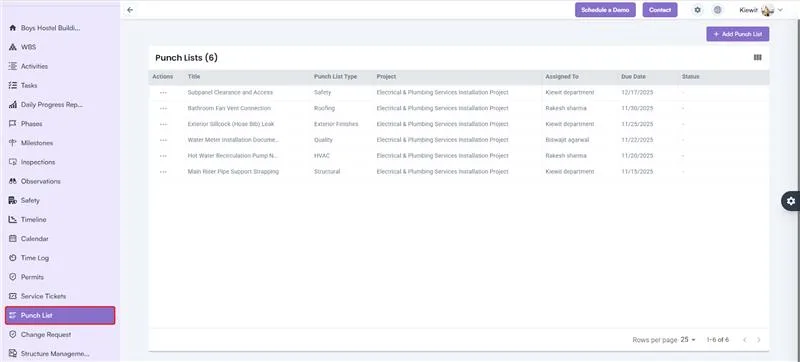
  • Punchlist Status Display. Punchlist Status was showing as blank in the UI. This has been corrected and status values now display as expected.
  • Project Name Display Issue. Project Name was not showing in the UI. This issue has been fixed and names display correctly.
  • Mandatory Field Warnings – WBS Dependency. Warning messages were missing when required fields were left blank during dependency creation. Proper validation messages have now been added.
  • Inline Edit Update – Finance (Payment Terms). Users were unable to update Payment Terms status via inline editing. The issue is resolved and inline editing now functions correctly.
  • Structure Details Page 500 Error. Opening the Structure Details Page triggered a 500 Internal Server Error. Backend fixes have been applied and the page now loads without issues.
  • Mobile App – DPR File Upload Slowness Resolved. DPR file upload speed has been optimized in the mobile app. Uploads are now significantly faster and more reliable.
  • WBS / Activity Card Navigation Issue Fixed. Back button now correctly returns users to Card View instead of List View. Improves navigation consistency across WBS and Activities.
  • Contractor Insights – Issue Resolved. Contractor Insights metrics now load correctly after API fixes. Provides accurate performance data for decision-making.
  • Export Issues (500 Error) – Fixed. Exports for Phases, Activities, Tasks, and Milestones now work without errors. Ensures smooth and complete data downloads.
  • Delegated Task – 500 Error Fixed. Delegated Task tab now loads without internal server errors. Enhances reliability and improves task management.
  • Calendar – 500 Error Fixed. Calendar List View no longer displays a 500 error. Users can now view schedules smoothly and without interruptions.
  • Checklist Module Fix. Resolved errors in checklist creation. Teams can now create and manage inspection and safety checklists smoothly.

October 2025

Project Card View
Enhancement

Project Card View

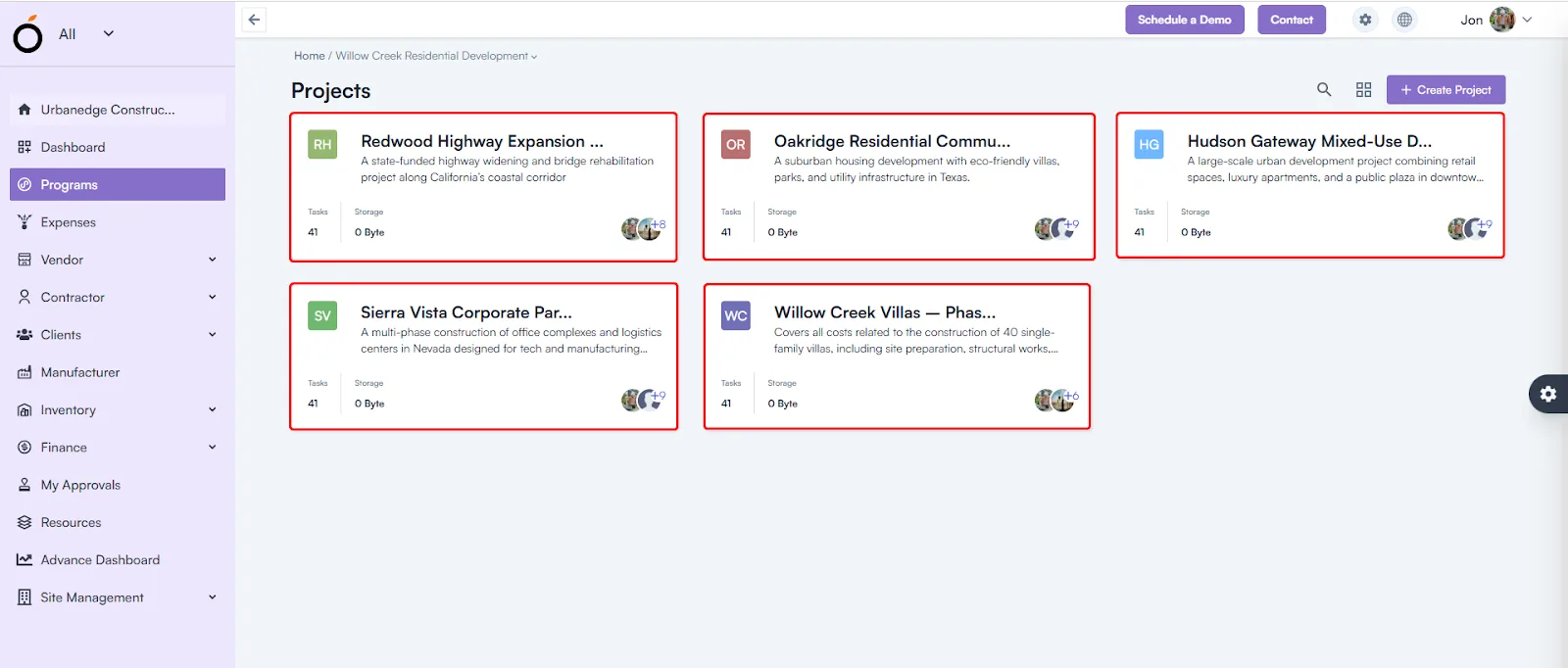
Now displays only the projects you’re assigned to — improving navigation and access control.

Punch List Creation
New Feature

Punch List Creation

Punch List creation is now fully functional again — enabling complete task and inspection tracking.

Bug fixes (6)
  • Vendor Item Management. Fixed incorrect messages during Vendor Item Received (Shipment) creation. Users now receive clear, accurate status updates after form submission.
  • Cross-Tenant User Invitation Verification. Resolved verification conflicts when inviting users across tenants. Multi-tenant collaboration between vendors, auditors, and clients now works seamlessly.
  • Invoice Management. Fixed the “Invoice amount greater than PO balance” issue. Invoices can now be created accurately based on remaining PO values.
  • Activity and Task Creation. Fixed duplicate entry issue when creating new Activities or Tasks — ensuring clean, accurate data.
  • Activity Listing Error. The “500 Internal Server Error” has been resolved for smooth Activity listing and management.
  • Project Search Enhancement. Added a new Project Search bar within the Project Card view, allowing faster access to projects.

September 2025

Bug fixes (3)
  • Client Operations. Effective Start and End Dates now reflect correctly for improved timeline accuracy.
  • License & Certification. Users can now create and manage certifications, issuing authorities, and training programs without errors.
  • Budget Control. Line item totals are now capped at allocated budgets to prevent overspending.

August 2025

Bug fixes (3)
  • Shifts Module. All input fields are now fully clickable, mandatory validations added, and time formats standardized for clarity.
  • Item & Industry Management. Only active industries appear in dropdowns. Item hierarchies and multi-category linking are now supported for better visibility.
  • Vendor & Procurement. Fixed default currency and tax rule inconsistencies, ensuring accurate procurement data.

July 2025

Permit Management
New Feature

Permit Management

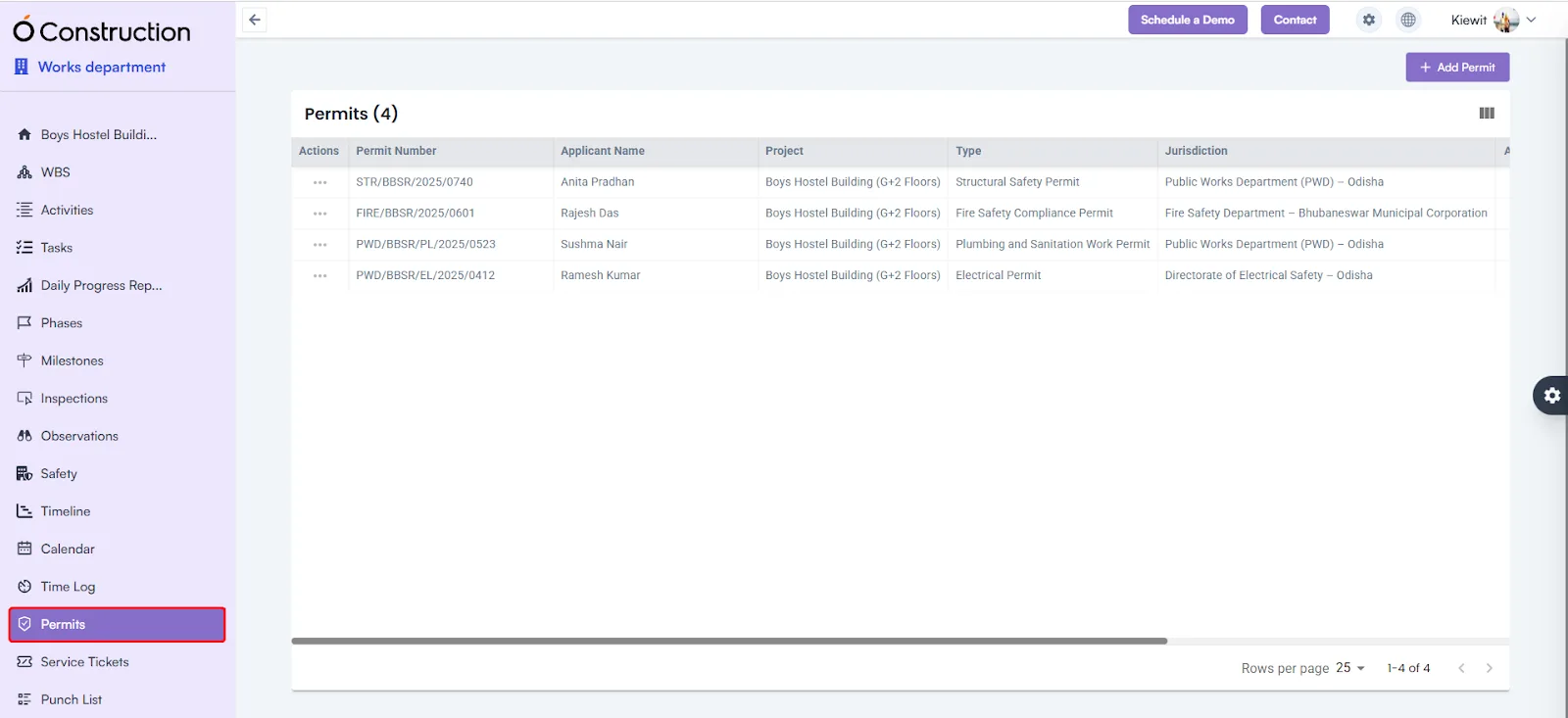
Easily manage and track permits from request to approval, ensuring compliance and avoiding project delays.

Service Management
New Feature

Service Management

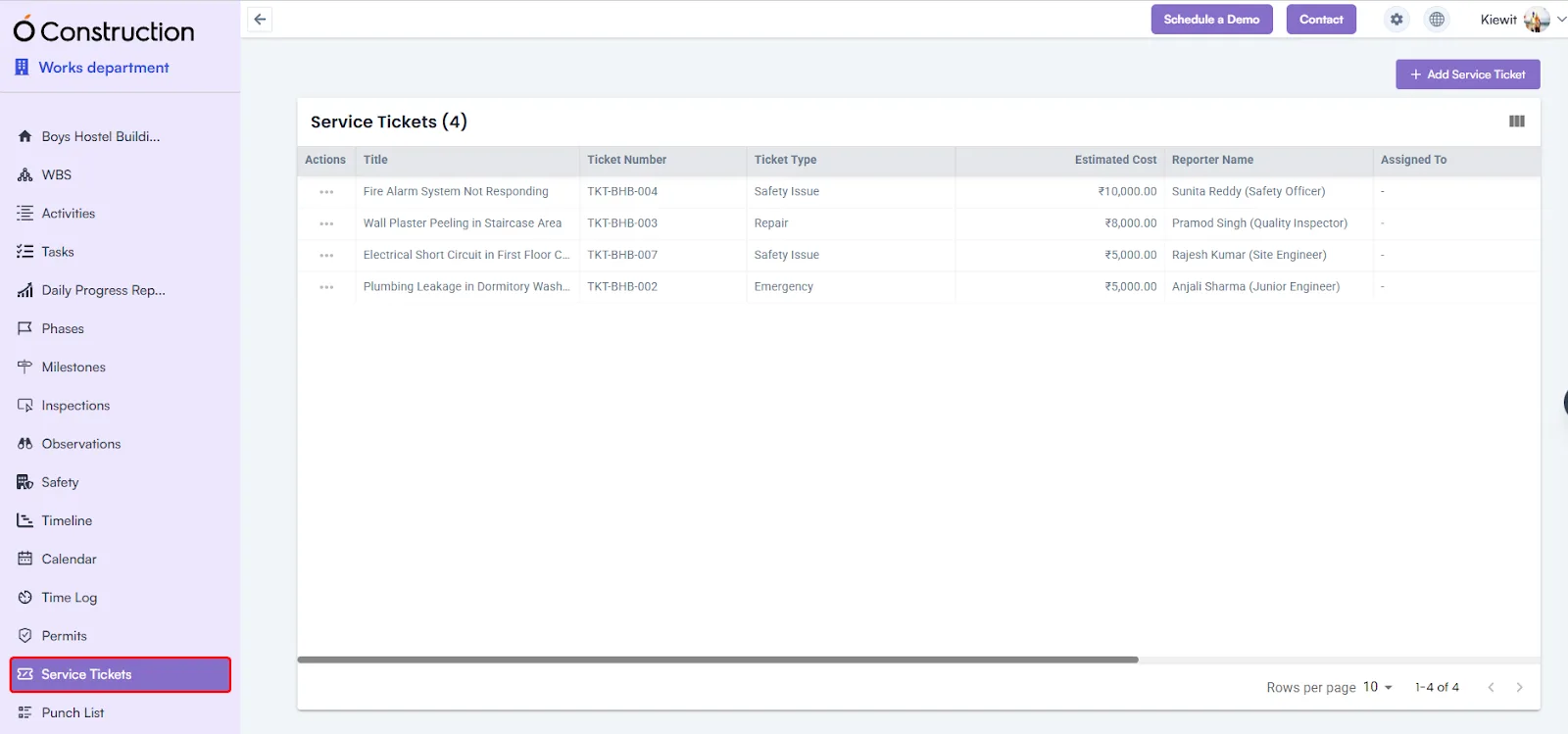
Monitor vendor services, maintenance requests, and operational tasks all in one place.

Punch List Management
New Feature

Punch List Management

Record, assign, and track incomplete tasks to ensure all deliverables are completed before project closure.

Change Request
New Feature

Change Request

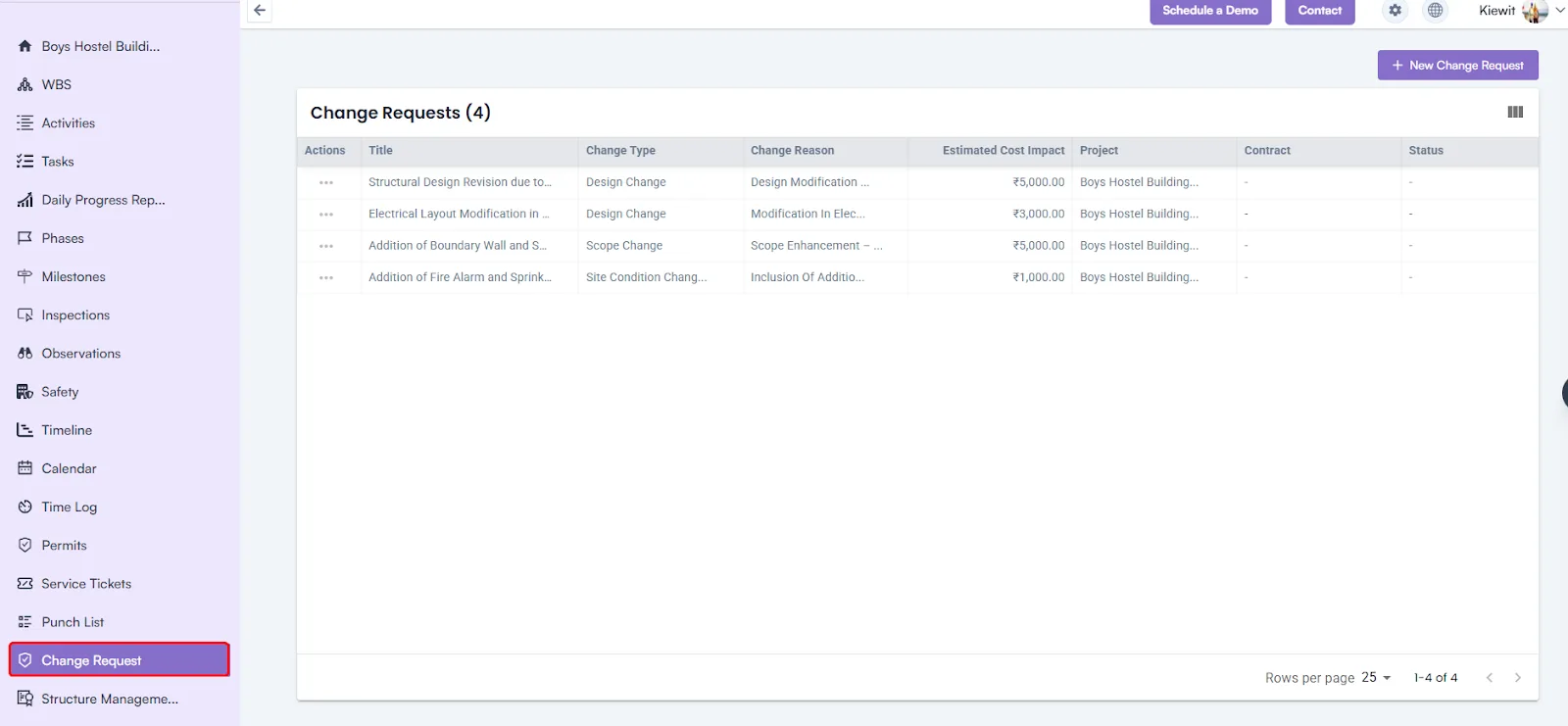
Simplify change submissions and approvals to stay on schedule while adapting to evolving project needs.