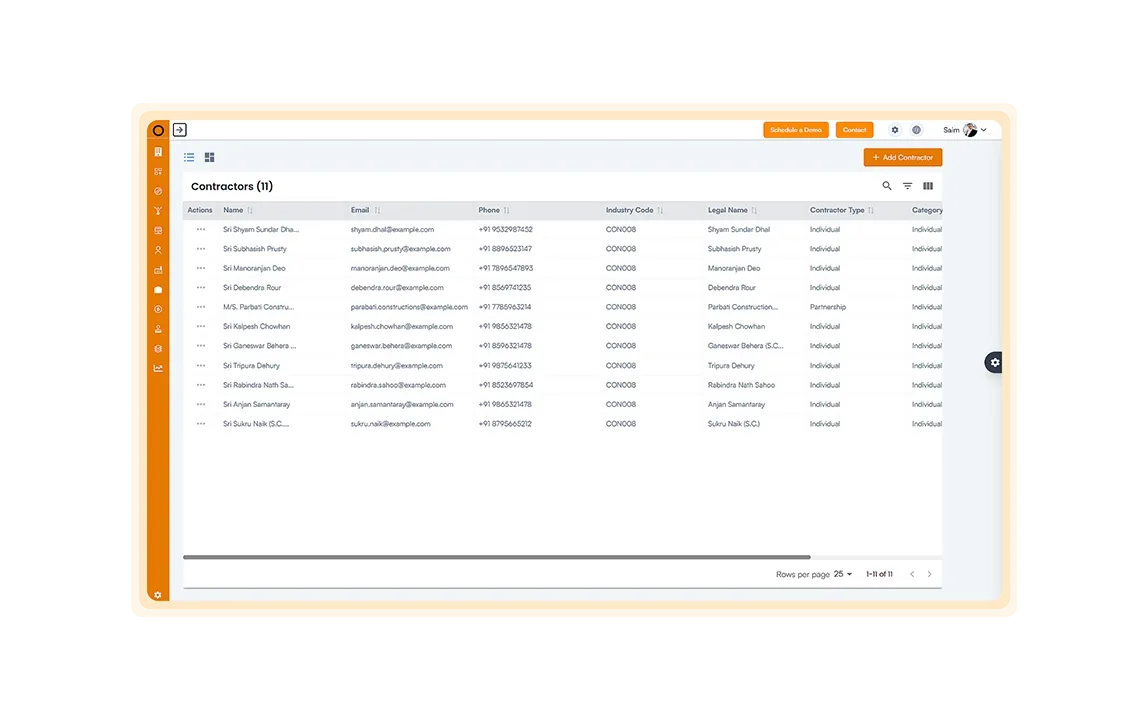
Contractor register
Maintain one contractor database with contact details, industry codes and licenses.
- Contractors
- Licenses
- Contacts
OConstruction links every contractor to its work orders, invoices and payments. You see what you owe, what you have paid, and how much retention you are holding, by project.
No credit card. Cancel anytime. $24 per user per month after the trial.
Six tools keep a subcontractor relationship on one record, from registration to final payment.
Maintain one contractor database with contact details, industry codes and licenses.
Issue work orders with a defined scope, a budget and linked milestones.
Track payments, retentions and outstanding payables across every project.
Receive, check and approve invoices tied to a work order or activity.
Review contractor progress, payment delays and retention summaries as they stand today.
Store contracts, insurance certificates, licenses and inspection reports, with expiry tracking.
These numbers sit on the dashboard from day one.
Total contractors
Total work order value
Total paid to contractors
Outstanding payables
Retention held
Average payment delay
Each work order, invoice and payment links to a project and a cost center, so finance and site agree.
Digital work orders tie each task to milestones you can measure.
Live payment status and retention totals keep finance aligned.
Licenses and certificates carry expiry alerts and versions.
Scorecards and progress dashboards show who delivers.
Every payment links to a work order and an approved invoice, so you can show why you paid what you paid.
Here is what changes when work orders, approvals and retention share a system.
Every module shares the same projects, people and data.
Common questions about contractor management software.