OConstruction blog
construction project management
Construction projects lose time and money to delays, cost overruns, and slow workflows. On busy job sites, whiteboards, group chats, and separate spreadsheets are not enough to keep up.
Automation and predictive analytics can help. They give live updates and early alerts, so teams can act before small issues grow. This is a key part of better construction scheduling.
This article explains how project managers, site engineers, and contractors can use automation, predictive analytics, and OConstruction to plan work, track daily progress, manage materials, and control costs.
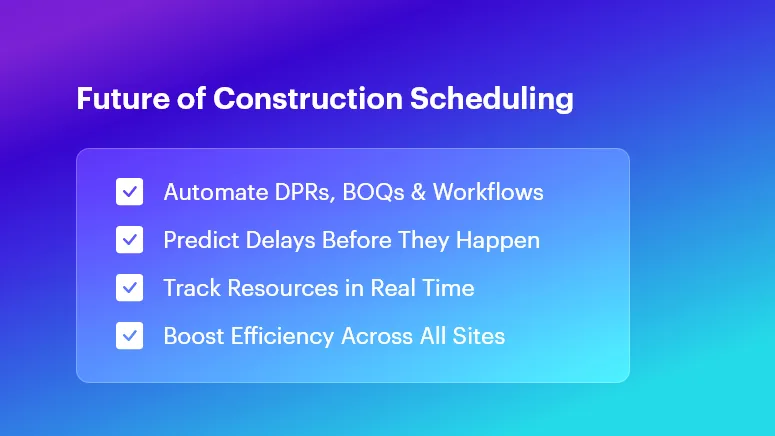
TL;DR
-
Manual planning with whiteboards, chats, and separate spreadsheets makes problems hard to see early.
-
Automation keeps schedules, reports, and budgets current with less manual work.
-
Predictive analytics uses past and current data to flag likely delays and cost problems.
Why This Matters in Construction
Construction teams must deliver on time and within budget. Manual workflows create problems that are easy to avoid:
-
Cost overruns and wasted material. Inaccurate quantities and late reports can lead to wrong orders. Materials may be over-ordered or left unused.
-
Rework and quality issues. Poor communication between field and office leads to corrective work, which takes time and labor.
-
Scattered data and slow decisions. Separate tools, logs, and messages create blind spots. Teams end up reacting instead of preventing problems.
These problems appear on many kinds of projects, from homes and offices to highways and large EPC work.
A highway project, for example, can lose time when field teams wait for schedule updates. Resources are then hard to coordinate and costs are harder to track.
Digital workflows help. With automation and predictive analytics, teams can work faster, keep records accurate, and see problems in real time.
OConstruction brings scattered tools into one platform. It replaces group chats and manual logs with live sync between the field and the office.
Best Practices and Actionable Steps
Scheduling with automation and predictive analytics works best with a clear process. These steps show how to use OConstruction for it:
1. Plan the project in detail
-
Build Gantt charts that show resource dependencies and send alerts.
-
Use schedule tracking to keep timelines accurate.
-
Send milestone alerts to stakeholders when work falls behind.
2. Manage BOQs and estimates
-
Use standard templates and version control.
-
Keep take-offs current, so budgets match the work. See the rise of digital construction workflows.
3. Automate daily progress reports
-
Capture photos, safety notes, and progress from a mobile device.
-
Reports are built from the same data, so there is less retyping.
4. Track materials and inventory
-
Use barcode tracking for deliveries and use on site.
-
Keep stock visible to prevent shortages and idle material. See inventory management tips.
5. Manage labor and resources
-
Track attendance and productivity, using geofencing where it fits.
-
Check labor use against the plan each week.
6. Control costs and budgets
-
Align budgets with cost codes, and update them as costs come in.
-
Review spending against the budget regularly, so surprises are rare.
7. Manage tasks and workflows
-
Centralize approvals, dependencies, and task priorities.
-
Make sure every task has an owner and a due date.
8. Coordinate several sites
-
Use the same templates and rules at every site.
-
Give leaders a dashboard that covers all projects. OConstruction offers this view.
9. Use predictive analytics
-
Look for early signs of risk, such as delays, resource conflicts, and cost overruns.
-
Compare current progress with past performance, so warnings come early.
Common Mistakes to Avoid
-
Relying on manual data entry. Capture data on mobile devices where possible.
-
Skipping training. Run short, practical sessions so everyone knows how to use the tools.
What Good Use Looks Like
Consider a contractor that moves daily reports and approvals to a shared platform. Site teams log progress from phones, and the office sees updates the same day. Alerts show when a task is at risk, so the team can respond quickly.
Results depend on the project and how consistently the team uses the tools. Measure timelines, rework, and material use before and after, so the change is clear.
Key Takeaways
-
Digitize and automate. Replace manual logs and chat-based approvals with one shared platform.
-
Use predictive analytics. Look for risks before they cause delays or overruns.
-
Automate core workflows. Keep reports, BOQs, and material tracking current and mobile.
-
Keep field and office in sync. Share updates as they happen.
-
Standardize across sites. Use the same processes everywhere.
FAQs
1. What are automation and predictive analytics in scheduling?
They use software and data to plan, track, and forecast project progress. The goal is to find delays and cost problems early.
2. How does OConstruction support automation in scheduling?
OConstruction supports task assignments, daily reports, and alerts, with updates shared across the team.
3. Can predictive analytics reduce delays?
It can help teams spot bottlenecks earlier, so they can take action sooner. Results depend on the quality of the data.
4. Is daily reporting secure?
Check the security features of any tool before you use it. Look at access control, data storage, and audit logs.
5. How long does it take to adopt a new tool?
It depends on the team and the project. A short pilot is the best way to find out.
6. Does OConstruction connect to other systems?
Ask our team about the integrations that are available for your setup.